Tutorials · May 15, 2025 · 5 min read
Four Decisions That Keep a Next.js App Maintainable
The folder layout is the decision that matters least. Four that actually determine whether an App Router project stays workable as it grows.
Most advice about structuring a Next.js app is really advice about naming folders, which is the part that matters least. A project does not become unmaintainable because the components directory is in the wrong place. It becomes unmaintainable because the client bundle grew without anyone deciding it should, because content is scattered across three different places, and because nobody can tell which parts of the tree run where.
These are the four decisions I actually care about when I set up an App Router project, roughly in the order they start hurting.
1. Pick a layout, then stop thinking about it
A predictable structure is worth having, but only because it removes a question. Any reasonable layout works as long as everyone uses the same one. This is the shape I default to:
app/
  layout.tsx            fonts, metadata, providers
  page.tsx              composes sections, no logic
  blog/
    page.tsx            index, reads from data/
    (posts)/<slug>/     one page per post
  api/<route>/route.ts
components/
  <feature>/            page sections, hand written
  ui/                   primitives, vendored
data/                   typed content modules
lib/                    shared helpers, no JSX
The route group parentheses are the one piece worth calling out. A directory in brackets groups files without appearing in the URL, so app/blog/(posts)/about-me/page.tsx serves /blog/about-me. That lets you keep the index page and the individual pages in separate folders without a nesting level leaking into every link on the site.
2. Server by default, and keep the directive at the leaf
This is the decision that actually determines how the app performs, and the one most projects get wrong by accident.
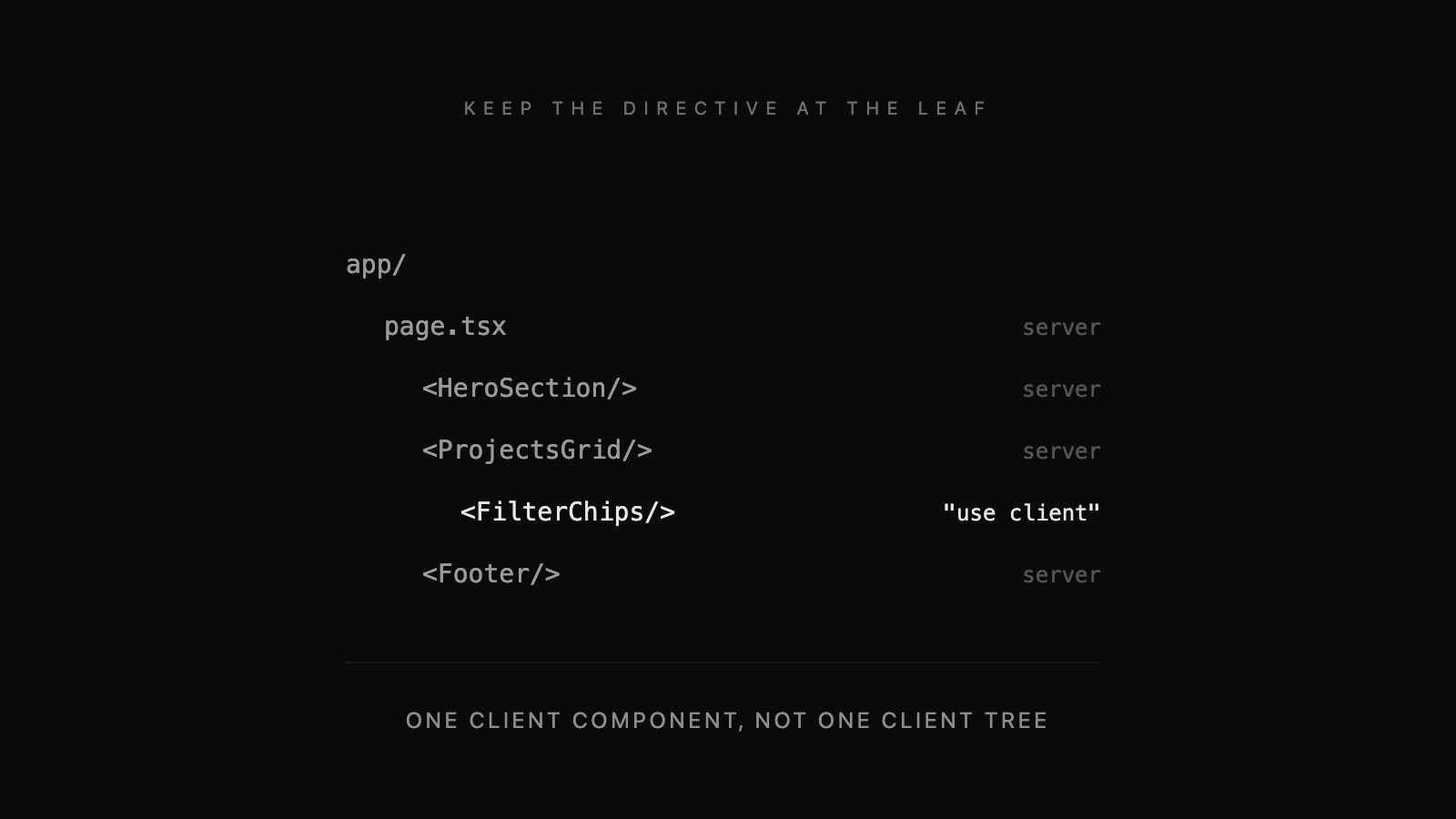
Everything in the App Router is a server component until you write use client at the top of a file. That directive is contagious downward: the file you put it in and everything it imports gets shipped to the browser. So the cost of putting it in the wrong place is not one component, it is a subtree.
The common mistake is to add it to a page because one small thing inside needs state. A filter row needs useState, the directive goes at the top of the page, and now the entire page including all its static content is a client bundle.
// app/portfolio/page.tsx  (server)
import { FilterChips } from "@/components/portfolio/filter-chips";
import { projects } from "@/data/portfolio";

export default function Page() {
  return (
    <main>
      <h1>Work</h1>
      <FilterChips />          {/* the only client component */}
      <ProjectGrid items={projects} />
    </main>
  );
}
Push the directive down to the smallest file that genuinely needs state, an effect, or a browser API. Everything above it stays on the server, renders once, and ships no JavaScript. When you are unsure whether a component needs to be a client component, it does not.
3. Give content one home
The thing that rots fastest in a growing site is not the code, it is the content. A project title lives in the page, again in the card on the index, and a third time in the metadata, and eventually the three disagree.
For a site of this size a CMS is more machinery than the problem deserves. Typed modules under data/ do the job: one exported type, one exported array, imported by whatever needs it.
// data/portfolio.ts
export type Project = {
  title: string;
  description: string;
  href: string;
  year: number;
};

export const projects: Project[] = [ /* ... */ ];
The index page, the related-project cards and the sitemap all read from that array, so adding an entry updates every one of them. The tradeoff is that content changes require a deploy, which for a site you own is not really a tradeoff.
4. Do not abstract Tailwind too early
The standard advice is to wrap repeated utility strings in components immediately. I have found that abstracting on the second occurrence usually produces a component with four boolean props and no clear job.
Wait for the third use, and when you do abstract, put the variation in the design tokens rather than in props. Tailwind v4 configures itself from CSS, so a token added to globals.css is available everywhere without a config file:
@import "tailwindcss";
@custom-variant dark (&:where(.dark, .dark *));

:root {
  --background: #ffffff;
  --foreground: #0a0a0a;
}

@theme inline {
  --color-background: var(--background);
  --color-foreground: var(--foreground);
}
Then style against the tokens rather than raw colours. bg-background and text-foreground work in both themes for free, which is the actual reason to use a token system. A hardcoded bg-white is a bug you will find later, in the dark.
What none of this fixes
Structure buys you legibility, not speed. If the app is slow it is almost always because of the data layer or the client bundle, and no amount of folder rearranging touches either. Look at what you are shipping to the browser first, then at how many queries the page makes, and only then at whether the components directory is in the right place.